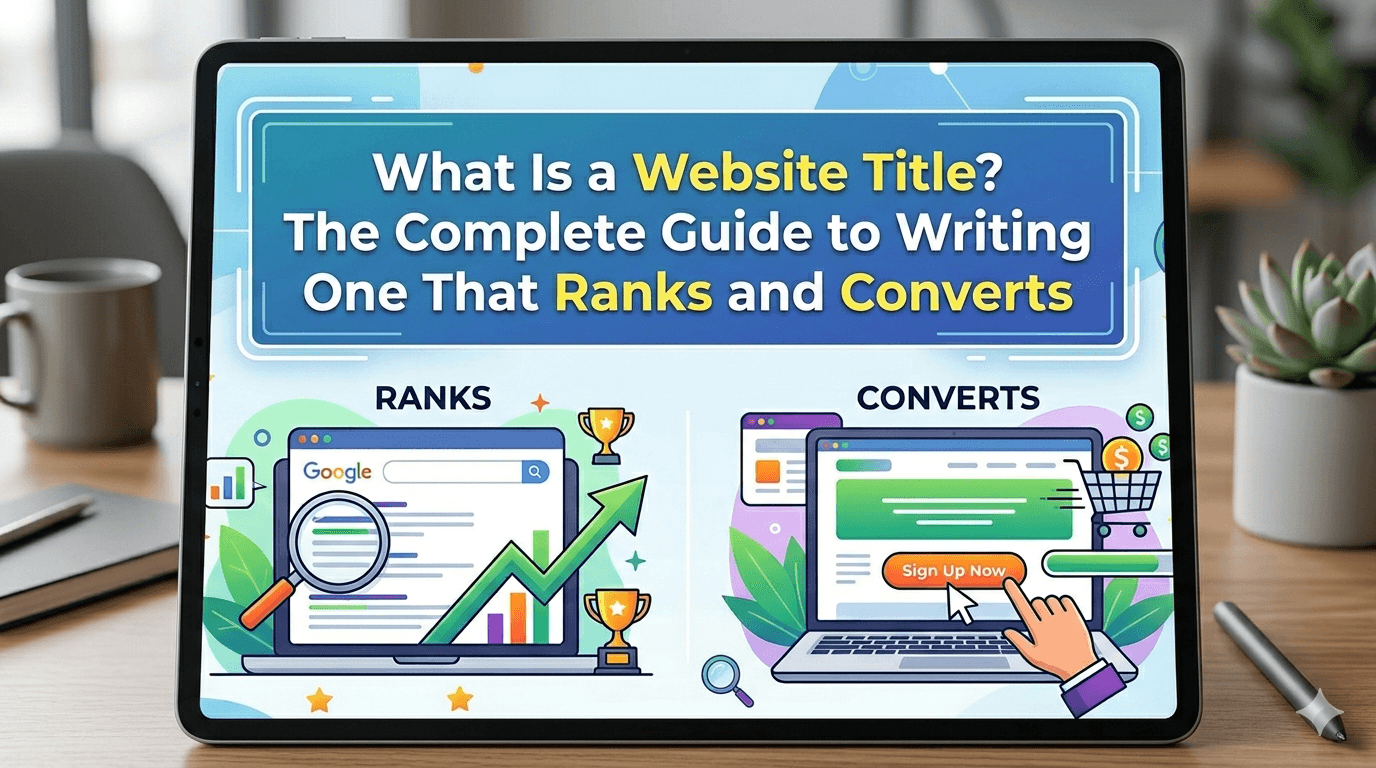
Quick Answer: A website title is a short, descriptive phrase that identifies a web page in browser tabs, Google search results, and social media previews. It lives inside the <title> tag in your page’s HTML code. A well-crafted website title helps search engines understand your page’s content and convinces real people to click on your link over everyone else’s.
Ever noticed how some search results instantly grab your attention while others just sit there getting ignored? You scan the results, and one title just speaks to you. That’s not an accident. That’s strategy.
Understanding what is a website title is one of the most underrated skills in SEO and web publishing. Students, bloggers, and business owners alike often overlook it entirely, setting up their pages with titles like “Home” or “Page 1.” Meanwhile, their competitors are pulling in thousands of monthly visitors with carefully engineered titles that work on two levels at once: satisfying Google’s algorithms and making real humans want to click.
This guide breaks down everything from the basic definition to advanced optimization tactics most articles skip completely. By the time you finish reading, you’ll know exactly how to write titles that rank and convert.
[INTERNAL LINK: learn more about on-page SEO elements → on-page SEO guide]
What Is a Website Title? A Clear, No-Fluff Definition
A website title is a short phrase that names a specific web page. It appears as the bold, clickable text in Google’s search engine results page (SERP), inside your browser tab, and in social media link previews when someone shares your URL.
Think of it as your page’s nametag on the internet.
You’ll find it in a web page’s HTML code, sitting inside the <head> section, wrapped in a <title> tag like this:
html
<title>What Is a Website Title? Complete Guide for 2026</title>
That single line of code carries serious weight. It tells search engine crawlers what your page is about, tells users whether your content is worth their click, and shapes your brand’s first impression across every platform.
Website Title vs. Title Tag: Are They the Same Thing?
Here’s where beginners get confused, and honestly, even some experienced marketers mix these up.
A title tag is the HTML element (<title>) that holds your website title. So technically, the title tag is the container, and the website title is the content inside it. In everyday SEO conversation, people use the terms interchangeably, and that’s fine. Just know that when your SEO plugin says “edit your title tag,” it’s asking you to write your website title.
There’s also a third concept: the display title. Google sometimes rewrites your title in search results if it thinks your original isn’t serving the searcher well. More on that later.
Your article title (or H1) is a completely different element. It lives on the page itself, visible to readers. Your website title lives in the background, primarily serving browsers and search engines.
Where Does a Website Title Actually Appear?
More places than you’d expect. Here’s a full breakdown:
| Location | How It Shows Up |
| Browser Tab | Displayed next to your favicon at the top |
| Google Search Results | The bold, blue/purple clickable headline |
| Social Media Previews | Title shown when a URL is shared on Facebook, Twitter, LinkedIn |
| Bookmarks | Saved as the default bookmark name in browsers |
| Screen Readers | Read aloud to visually impaired users for accessibility |
Each of these touchpoints reinforces why getting your website title right matters far beyond just SEO rankings.Your website title also helps people identify the publisher of a website when your link gets shared or cited across platforms like LinkedIn or Facebook.
Why Is a Website Title Important for SEO?
Most people know website titles matter for SEO. Few people understand exactly why, which means most people optimize them without knowing what they’re actually doing.
How Google Uses Title Tags to Rank Pages
Your website title is one of the most direct signals Google uses to understand your page’s topic. When a searcher types a query, Google’s algorithms scan billions of pages looking for relevance. Your title tag is one of the first places it looks.
A strong title tag tells Google: “This page is specifically about this topic.” That’s a content relevance signal that feeds directly into where your page ranks.
Beyond relevance, Google also monitors how users interact with your listing. If your title drives clicks, Google interprets that as a positive ranking signal. Poor titles create low click-through rates (CTR), which can quietly drag your rankings down over time, even if your actual content is excellent.
The Direct Impact on Click-Through Rate (CTR)
Here’s something most SEO articles miss: you can improve your organic traffic without ranking any higher. How? By writing a title that earns more clicks from the same position.
Research from Backlinko analyzing 4 million search results found that moving from position 10 to position 9 increases CTR by about 11%. But writing a significantly more compelling title at the same position can produce a similar jump in clicks. That’s free traffic with zero ranking change.
A compelling website title functions as organic ad copy. It’s the difference between a billboard that people actually read and one they drive past without registering.
Website Titles and User Experience
This one rarely gets mentioned. Your website title sets an expectation before anyone lands on your page. If your title promises “A Beginner’s Guide to Website Titles” and your page immediately launches into advanced HTML syntax with no explanation, visitors bounce immediately.
High bounce rates send negative signals back to Google. So your title and your content need to make the same promise and deliver on it together. Matching user intent starts with your title, not with your first paragraph.
Anatomy of a Perfect Website Title: What Should It Include?
A great website title isn’t random. It’s built from specific components, and each one has a purpose.
Target Keyword Placement
Front-loading your primary keyword (placing it near the start of your title) used to be the gold standard. It still matters, but context matters more now. A keyword shoved awkwardly at the front of an unnatural phrase will underperform compared to a naturally written title that includes the keyword in a logical position.
For this article, “what is a website title” appears near the beginning because it mirrors how someone would actually search for it. That alignment between search query and title is what drives relevance.
Brand Name: Should You Include It?
Sometimes yes. Sometimes no.
For homepages and brand-awareness pages, adding your brand name makes sense. The standard formats are:
- Primary Keyword | Brand Name
- Brand Name: Topic Descriptor
For informational blog content targeting competitive keywords, your brand name can eat into your 60-character limit without adding value for the reader. In those cases, skip it or push it to the very end.
Title Length: How Long Is Too Long?
Keep your website title under 60 characters. Google typically truncates titles beyond that point in desktop search results, replacing the end with “…” You lose your message, and sometimes you lose the most compelling part of your title.
Use tools like SERPsim or Moz’s Title Tag Preview Tool to check your exact pixel width before publishing. Character count is an approximation; pixel width is the real metric Google uses.
A title that reads “What Is a Website Title? The Complete 2026 Guide to Writing…” gets cut off right where things get interesting. That’s a conversion killer.
Emotional Triggers and Power Words
Words like “Complete,” “Proven,” “Free,” “2026,” “Step-by-Step,” and “Guide” consistently boost CTR because they promise value upfront. Use one or two, not six. Stacking power words makes titles look spammy, and users have developed strong instincts for skipping those.
The goal is a title that feels confident, not desperate.
How to Write a Great Website Title: Step by Step
This is where things get practical. Knowing what a website title is matters. Knowing how to build one well is what separates ranked content from ignored content.
Step 1: Start With Your Target Keyword
Before you write anything else, know exactly which keyword you’re targeting for that page. Not a vague topic. A specific phrase. Type it into Google, study the top results, and understand what searchers actually want when they type those words.
Step 2: Match the Search Intent of Your Audience
Search intent is everything. Someone searching “what is a website title” wants a definition and explanation. Someone searching “best website title generators” wants tools and recommendations. Same broad topic, completely different intent.
Write a title that signals you understand exactly what the searcher is looking for.
Step 3: Make It Specific and Descriptive
Generic titles lose. “Website Tips” tells no one anything. “How to Write Website Titles That Rank on Page 1 in 2026” tells someone exactly what they’ll get and why it’s worth their time.
Specificity builds trust before a reader even clicks.
Step 4: Add Your Brand Name Strategically
If you have brand recognition in your niche, include your name at the end. If you’re building a new site and every character counts, prioritize clarity and keywords over brand placement.
Step 5: Test and Refine Using CTR Data
Your first title is a hypothesis. Google Search Console shows you impressions and clicks for every page. If a page ranks in the top 10 but has a CTR below 2%, that’s a signal your title needs work. Rewrite it, monitor for 30 days, and compare.
This is where serious SEOs separate themselves from casual ones.
Website Title Best Practices: The Do’s and Don’ts
Best Practices to Follow
Write a unique title for every single page on your site. Duplicate titles confuse search engines and waste your SEO potential. Include numbers or years when they naturally add value, like “7 Proven Strategies” or “Updated for 2026.” Write for humans first, and trust that a title that serves humans will also serve Google.
Use consistent capitalization. Title case (Capitalize Every Major Word) works well for commercial and product pages. Sentence case (Capitalize only the first word) often reads more naturally for blog posts and guides.
Common Mistakes That Kill Your Rankings
Keyword stuffing is the fastest way to earn an SEO penalty. Cramming three or four variations of the same keyword into a single title looks spammy to users and suspicious to Google’s algorithms.
Using the same title across multiple pages is almost as bad. Search engines don’t know which page to rank, so they often rank none of them well. Always write page-specific titles.
Clickbait titles that don’t match the actual content destroy trust and spike your bounce rate. Vague titles like “Everything You Need to Know” promise everything and describe nothing. And one mistake many beginners make: forgetting to update titles after refreshing old content. A title that references “2022 Tips” on a page you just updated does active damage to your credibility.Always make sure your title reflects your content’s last updated date so readers and Google both know your content is current.
Website Title vs. H1 Tag: What’s the Difference?
These two elements often get confused because they both describe what a page is about. They serve different masters.
| Feature | Website Title (Title Tag) | H1 Tag |
| Location | Browser tab and SERP | Visible on the page itself |
| Primary Role | SEO ranking signal | On-page content structure |
| Who Sees It | Search engines and browser tabs | Actual page visitors |
| HTML Location | Inside <head> | Inside <body> |
Can they be different? Yes, and sometimes they should be. Your website title might be optimized for the search query: “What Is a Website Title? Complete 2026 Guide.” Your H1 on the page might read more naturally for the reader: “Everything You Actually Need to Know About Website Titles.”
Same topic, slightly different angle. One serves Google, one serves the reader. Both can coexist without contradiction.
Real-World Website Title Examples: Good vs. Bad
Seeing the difference in action is more valuable than reading theory.
Examples Across Different Industries
E-commerce product page: Weak: “Blue Running Shoes” Optimized: “Men’s Lightweight Blue Running Shoes | Free Shipping | BrandName”
Blog post: Weak: “Tips for Website Titles” Optimized: “7 Website Title Tips That Doubled Our Organic CTR in 60 Days”
Homepage: Weak: “Welcome to Our Website” Optimized: “BrandName | Award-Winning Digital Marketing Agency in New York”
Service page: Weak: “SEO Services” Optimized: “SEO Services for Small Businesses | Proven Results | BrandName”
Before and After: Real Transformations
Example 1: Before: “About Page” After: “About BrandName | The Team Behind Your SEO Growth” Why it works: Specific, branded, and tells the visitor exactly who they’re learning about and why it matters to them.
Example 2: Before: “Website Title Information” After: “What Is a Website Title? Your 2026 Beginner’s Guide” Why it works: Mirrors the search query, signals beginner-friendly content, includes a year for freshness.
Example 3: Before: “How to Do SEO” After: “How to Do SEO in 2026: Step-by-Step Guide for Beginners” Why it works: Adds specificity (year, step-by-step, audience targeting) without adding unnecessary length.
How to Add or Change a Website Title on Your Site
Knowing the theory is one thing. Here’s exactly how to implement it depending on your platform.
In WordPress with Yoast or RankMath
Both Yoast SEO and RankMath add a dedicated “SEO Title” field below every post and page editor. Click on the field, type your title, and watch the character counter confirm you’re within the safe zone. These plugins also show a live SERP preview so you can see exactly how your title will appear in Google before publishing.
In Squarespace, Wix, and Other Website Builders
In Wix, navigate to your page settings and look for the “SEO” tab. There you’ll find a dedicated field to enter your website title separately from your page’s visible headline. Squarespace places this under Pages > Page Settings > SEO. Most modern website builders now offer this functionality without requiring any HTML knowledge.
Manually via HTML
If you’re working directly with HTML code, open your page’s source file and locate the <head> section. Add or edit the <title> tag like this:
html
<head>
<title>Your Optimized Website Title Goes Here</title>
</head>
Simple. Direct. And fully under your control.
How Google Sometimes Rewrites Your Title (And How to Stop It)
Here’s the section most guides completely skip, and it’s genuinely important.
Google rewrites website titles more often than most people realize. In fact, a 2021 study by Dr. Peter J. Meyers at Moz analyzed over 80,000 title tags and found that Google rewrote approximately 58% of them in search results. That number has shifted since, but the behavior hasn’t gone away.
Google rewrites your title when it decides your original doesn’t accurately represent your page’s content. Common triggers include:
- Titles that don’t match the page’s actual H1 or body content
- Keyword stuffing that makes the title read unnaturally
- Titles that are too short (under 20 characters) or too long (over 70 characters)
- Titles that focus on brand over topic relevance for informational queries
How do you keep control? Write a title that closely aligns with your page’s H1 and the primary subject of your content. Keep length in the 50 to 60 character range. Avoid over-optimization. And check Google Search Console regularly to see if your displayed title differs from your intended one.
If Google keeps rewriting you, treat it as feedback that your title and content are misaligned, not as a reason to fight back with a more aggressive title.
A Note on Citations and Formatting: Related Questions People Ask
Two questions come up regularly in research and academic contexts that connect directly to website titles.
Do you italicize website titles? In MLA formatting, website titles (referring to the name of a full website, like The New York Times) are italicized. Individual web page titles and article titles within a website are placed in quotation marks instead. So you would write: The New York Times, but “How to Write a Website Title.”
How to cite an image from a website also involves the website title as a critical citation component. In MLA format, when you cite an image from a website, you include the website title (italicized) as the container, followed by the URL and access date. In APA, the website title appears in the source line of your reference entry. Getting this right matters in academic work, where citation accuracy is graded.
What is a good website title for SEO?
A good website title for SEO is between 50 and 60 characters, includes your primary target keyword near the beginning, accurately describes your page’s content, and gives users a compelling reason to click. It avoids keyword stuffing and reads naturally to a human reader.
How many characters should a website title be?
Keep your website title under 60 characters. Google displays titles up to approximately 600 pixels wide on desktop, which typically corresponds to 50 to 60 characters depending on the letters used. Titles beyond this length get truncated with “…” in search results.
Is the website title the same as the page title?
Not exactly. The website title (stored in the <title> tag) is what appears in browser tabs and search results. The page title (your H1 tag) is what visitors see at the top of your actual page. They can match, or they can be slightly different versions optimized for their respective audiences.
Does changing a website title affect SEO rankings?
Yes, it can. Changing your title tag signals to Google that your page’s topic or focus may have shifted. Small refinements typically have minimal impact. Major rewrites, especially ones that change your target keyword, can cause temporary ranking fluctuations before Google re-evaluates your page. Monitor rankings for 4 to 6 weeks after any significant title change.
Should every page on my website have a different title?
Absolutely. Duplicate titles across multiple pages confuse search engines about which page is most relevant for a given query. Each page should have a unique title that reflects its specific content. This also prevents your own pages from competing against each other in search results.
What happens if I don’t set a website title?
Google will pull text from your page to create one automatically. It might pull your H1, your navigation text, or a random sentence from your content. You lose control over your first impression in search results, which typically hurts both rankings and click-through rates.
Can a website title include special characters or emojis?
Special characters like pipes (|), colons (:), and ampersands (&) are widely used and fully accepted. Emojis technically work, but they render inconsistently across devices and browsers. Some appear as blank squares on older systems. For professional and SEO-focused titles, stick to standard characters.

Pingback: Why Does My Website Not Show Up in Google Search? 12 Fixes That Actually Work - TechoGiant | WordPress Web Design & Development
Pingback: How to Make Money From a Website: 12 Proven Methods That Actually Pay - TechoGiant | WordPress Web Design & Development