Most people assume you need a developer, a big budget, or months of learning before you can launch a real website. That assumption is wrong, and it’s costing you visibility, clients, and money every single day your site doesn’t exist.
Here’s the truth: you can learn how to create a website without coding skills, and do it in a weekend. The tools have gotten genuinely good. Not “good enough” good. Actually, impressively good.
QUICK ANSWER
You can build a professional website without writing a single line of code by using no-code platforms like Wix, Squarespace, or WordPress.com. These tools give you drag-and-drop functionality, prebuilt templates, and built-in features that handle every technical detail for you. Most people can build, design, and launch a fully working website in three to seven days.
You Don’t Need To Know Code — Here’s What You Actually Need
I’ve watched dozens of small business owners, freelancers, and side hustlers freeze at the thought of building their own website. They Google it, see terms like HTML, CSS, hosting, DNS records, and close the tab. Sound familiar?
What you actually need isn’t code. You need three things: a clear idea of what your site should do, a no-code platform that matches your goals, and about four to six hours of focused time. That’s it. No computer science degree. No design portfolio. No developer friend on speed dial.
In my experience watching first-time site builders, the ones who succeed fastest are not the most tech-savvy. They’re the ones who start before they feel ready. This guide gives you every step to do exactly that.
Not sure where to start?
Tell me your idea — I’ll map out your website in 15 minutes.
Free consultation call. No tech jargon. Just a clear plan made for you.
Book My Free 15-Min Strategy Call →What Does “No-Code” Actually Mean in 2026?
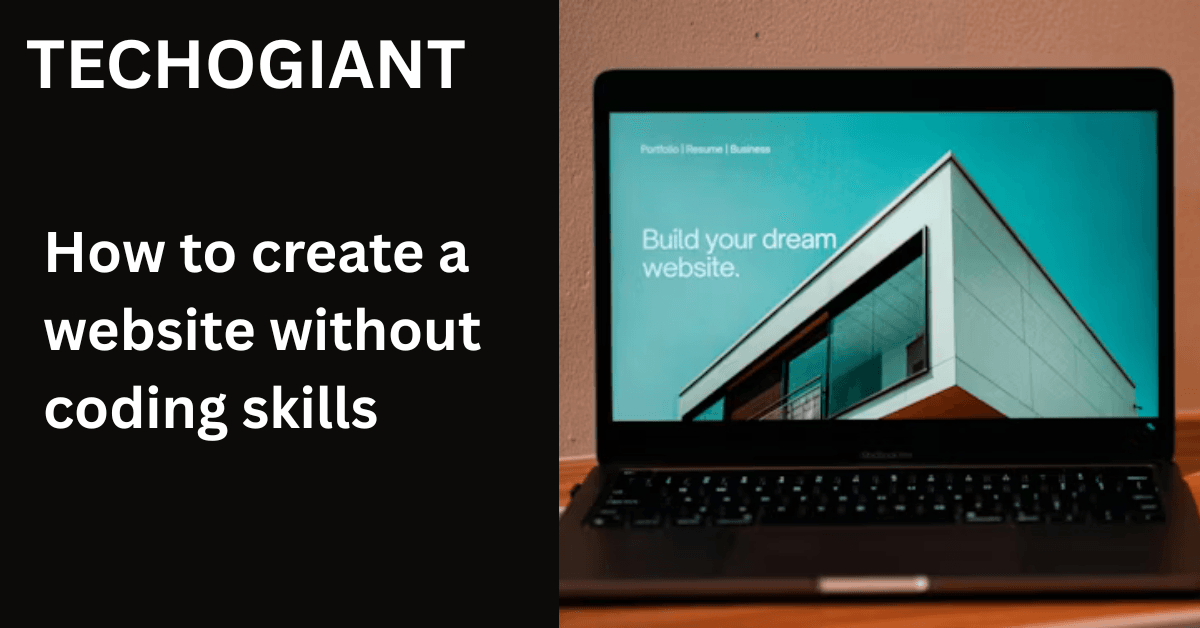
No-code website building means you create a fully functional, professional website using a visual interface tool — no programming required. Instead of typing code, you drag elements onto a page, click to change colors, and fill in your content like editing a document.
Platforms like Wix, Squarespace, and WordPress.com have evolved way beyond basic templates. Today, they include AI-powered site generation, built-in SEO tools, eCommerce functionality, booking solutions, and responsive design that automatically adapts to every screen size.
The gap between a no-code website and a custom-coded one has shrunk dramatically. For 95% of small businesses, freelancers, and personal brand builders, a no-code site will perform just as well in search rankings, load just as fast, and convert visitors just as effectively as a hand-coded one.
Worth knowing: Google does not reward complex code. It rewards fast, relevant, well-structured content. A no-code site built correctly will outrank a custom-coded site built carelessly, every single time.
Step 1: Define Your Website’s Goal Before You Touch Any Tool
Here’s what most guides miss: the biggest reason websites fail is not bad design or slow hosting. It’s a lack of purpose. Before you open any platform, write down one sentence that answers this question — what do I want someone to do when they land on my site?
Order a product? Book a call? Read your blog? Download your portfolio? Each goal leads to a completely different website structure, page layout, and feature set. A freelancer portfolio looks nothing like an online store. A local bakery site needs something totally different from a SaaS landing page.
Once your goal is clear, your website blueprint almost writes itself. You know which pages you need, what your homepage should say, and what call-to-action to put front and center.
Step 2: Choose the Right No-Code Builder for How to Create a Website Without Coding Skills
Not all website creation platforms are built the same. The honest answer is: there’s no universally “best” one. There’s only the best one for your specific use case.
| Platform | Best For | Ease of Use | SEO Tools | Starting Price |
|---|---|---|---|---|
| Wix | Small businesses, portfolios, blogs | Very Easy | Strong | Free / ~$17/mo |
| Squarespace | Designers, creatives, product brands | Easy | Moderate | ~$16/mo |
| WordPress.com | Bloggers, content-heavy sites | Moderate | Excellent | Free / ~$4/mo |
| Webflow | Agencies, advanced designers | Steeper Curve | Excellent | ~$14/mo |
| Microweber | Beginners, eCommerce starters | Very Easy | Basic | Free available |
If you’re a complete beginner, start with Wix. Its drag-and-drop builder is genuinely forgiving, and the Wix AI website builder can generate your first draft in minutes using a single prompt. If you care deeply about visual aesthetics and sell physical or digital products, Squarespace’s design quality is hard to beat.
Step 3: Secure a Domain Name and Set Up Hosting
Your domain name is your address on the internet. It’s also part of your brand, so take five minutes to get it right before you register anything.
A good domain is short, easy to spell, and directly tied to your business name or personal brand. If your name is already taken, try adding your city, your service, or a simple word like “studio” or “hub.” Avoid numbers, extra words, and anything that forces people to pause and think about how to spell it.
Most no-code platforms bundle domain registration and web hosting together. Wix, Squarespace, and Network Solutions all let you buy and connect a domain directly inside their dashboard. If you’re using WordPress.com, your SSL certificate, CDN, and basic hosting are all included even at lower tier plans.
Step 4: Pick a Template That Doesn’t Look Like Everyone Else’s
Templates get a bad reputation because most people install one and never change a thing. That’s the real problem, not the templates themselves. A well-customized template can look completely unique and fully aligned with your brand identity.
When browsing templates, don’t pick the one that looks most beautiful in the preview. Pick the one whose layout structure matches what your site needs to do. A template built for a photography portfolio has a very different information flow than one built for a service business.
Once you’ve chosen, change the color scheme consistency to match your brand, update the fonts to something that feels like you, and swap every placeholder image immediately. Most people forget that last step, which is why so many sites end up looking generic.
Step 5: Build Your Core Pages With Purposeful Structure
Most websites need four to five core pages to be complete and professional. Each page has a job, and when they all work together, they guide your visitor from “just browsing” to “ready to take action.”
The pages every site needs
- Home page: Your first impression. It should answer who you are, what you do, and why it matters, within five seconds of someone landing on it.
- About page: This is where trust is built. Write about your story, your values, and what makes you different. This is the second-most visited page on most sites.
- Services or Portfolio page: Show your work or explain what you offer with specifics, not vague language.
- Contact page: Make it stupidly easy to reach you. Include a form, your email, and response time expectations.
- Blog or Resources (optional): Extremely valuable for SEO-optimized content and building topical authority over time.
Imagine you’re a freelance graphic designer launching your first personal brand platform. Your homepage headline says what you do and for whom. Your portfolio page shows three to six of your best projects with case study format breakdowns. Your contact page sets clear expectations. That’s a complete, working site that can start generating leads this week.
YOU HAVE THE IDEA — WE CAN BUILD THE PAGES
Not sure what your site actually needs? Let’s figure it out together.
A 10-minute call can save you weeks of second-guessing. Walk away with a clear page structure plan, at no cost.
Step 6: Add Essential Features Without Writing a Single Line of Code
This is where no-code platforms genuinely shine. Features that used to require a developer and days of custom work are now built-in modules you add in seconds.
Features worth adding from day one
- Contact form: Available natively in every major platform. Never make visitors hunt for your email.
- Google Analytics integration: Takes two minutes to connect and gives you data on who’s visiting, from where, and what they’re reading.
- Social proof integration: Add a testimonials page or embed Google reviews directly. According to BrightLocal, 87% of consumers read online reviews before choosing a local business.
- Email capture: A simple lead magnet or newsletter signup form turns visitors into a list you own, regardless of what social platforms do.
- Booking solution: If you offer services, add a scheduling tool like Calendly or use built-in booking modules on Wix or Squarespace.
If you plan to sell products, eCommerce functionality is also built into most platforms. You can set up a payment gateway, add products, and start selling without touching a single file of backend code.
Step 7: Optimize for Search Engines From Day One — No Code Required
SEO is not a dark art. For a new website built on a no-code platform, the basics are straightforward and make an enormous difference. Most people skip this step entirely, which is exactly why doing it gives you an edge from day one.
On-page SEO you can do right now
- Write a unique page title and meta description for every page. This is meta tags editing, and every builder has a field for it.
- Use your target keyword naturally in your first paragraph, your page heading, and at least one subheading.
- Image optimization matters more than most beginners realize. Name your image files descriptively, compress them, and add alt text to every single one.
- Connect Google Search Console to your site after launch. It’s free, it tracks your rankings, and it tells you when something is wrong.
- Internal linking between your pages helps Google understand your site’s structure and keeps visitors reading longer.
Page load speed is increasingly critical. Core web vitals are now a real Google ranking factor. Most no-code platforms handle basic performance well, but avoid loading your pages with autoplay videos, excessive plugins, or uncompressed images over 1MB.
Step 8: Make It Flawless on Mobile Before You Publish
Over 61.5% of all global internet traffic now comes from mobile devices. That statistic should change how you think about every design decision you make. Your website is not primarily a desktop experience anymore. It’s a mobile experience that also works on desktop.
Every major no-code builder has a mobile preview mode. Use it. Look at your homepage on a simulated phone screen. Check that your font size is readable without zooming, your buttons are large enough to tap comfortably, and your navigation simplification makes sense at a narrow width.
Run your published URL through Google’s mobile-friendly test before you announce your site to the world. It’s a free tool, it takes 30 seconds, and it will flag any serious issues before a potential client finds them first.
Step 9: Launch, Track, and Promote Your Website
Pushing the publish button is a milestone, not a finish line. The websites that actually grow are the ones with a simple but consistent promotion plan from week one.
Share your new URL everywhere your audience already is. Add it to your email signature, your LinkedIn profile, your Instagram bio, and your business cards. If you have an existing email list, send a short announcement. Tell people what the site is for and what they can do there.
Start tracking real numbers within the first week. Google Analytics shows you session duration, bounce rate, and which pages people actually visit. Heatmap tools like Hotjar let you see exactly where visitors scroll, click, and lose interest. Both are free at the entry level and both will tell you more about your site’s performance than any checklist ever could.
How long does it take to create a website?
Most people ask this as a pre-build question. Here’s an honest answer broken down by method:
- AI-generated site (like Wix AI): a working draft in under 30 minutes
- DIY with a no-code builder and a template: two to five days for a complete site
- Working with a professional web developer: two to five months for a custom-coded build
The first approach gets you live fastest. The third gets you the most customized result. For most small business owners and freelancers reading this, the middle approach with a no-code builder hits the best balance of speed, quality, and cost.
Step 10: Maintain, Grow, and Know When to Upgrade Your Website
Here’s what none of the big platforms mention in their onboarding: your website is a living thing, not a finished product. The sites that rank, convert, and represent brands well are updated regularly with fresh content, improved pages, and occasional design refreshes.
How often should you redesign your website?
The popular answer is every two to three years. The honest answer is: whenever the data tells you to. Watch for these clear signals rather than following an arbitrary calendar:
- Your bounce rate climbs above 70% consistently for two months or more
- Conversion rates drop significantly outside of normal seasonal patterns
- Your site fails Google’s mobile-friendly test or scores poorly on page load speed
- Your design looks visually outdated compared to your direct competitors
- Simple content updates require developer intervention every single time
Content stagnation is one of the quietest killers of website performance. A page that hasn’t been touched in 18 months signals to Google that it may no longer be the most relevant result. Schedule a simple content refresh audit every three months — update statistics, improve headings, and add new sections where you’ve learned something new.
No-Code Builder Comparison: Which Platform Is Right for You?
After testing multiple platforms firsthand, here’s a clear-headed breakdown to cut through the marketing noise:
Choose Wix if you want maximum flexibility with a gentle learning curve. The WYSIWYG editor is powerful, the app market adds functionality without code, and the Wix AI website builder is legitimately impressive for getting a first version live fast.
Choose Squarespace if your brand lives or dies on visual quality. Templates are beautifully designed, eCommerce functionality is clean, and the mobile editor experience is excellent. It’s slightly less flexible than Wix but more polished out of the box.
Choose WordPress.com if content volume is your strategy. Blogging tools are unmatched, SEO plugin support is deep, and the CMS is built for sites that will grow into hundreds of pages over time. The trade-off is a steeper initial learning curve.
Choose Webflow only if you’re comfortable with a more technical visual interface or if you’re working with a designer who knows the platform. It produces exceptional results but is not built for complete beginners.
Frequently Asked Questions
How long does it take to build a website without coding skills?
With a no-code builder and a clear plan, most people can publish a fully working website in two to five days. Using an AI website builder like Wix AI, a basic functional draft is ready in under an hour. More complex sites with multiple pages, eCommerce functionality, and custom design tweaks realistically take one to two weeks of part-time work.
What is the cheapest way to create a website without coding?
The cheapest route is a free plan on Wix, WordPress.com, or Microweber paired with a free subdomain. For a professional result with a custom domain, expect to spend between $10 to $20 per month on a platform plan plus roughly $10 to $15 per year for domain registration. That’s a fully functional business website for under $30 per month total.
Are no-code websites good for SEO?
Yes, when built correctly. Platforms like Wix and WordPress.com include meta tags editing, sitemap generation, page title optimization, image alt text fields, and internal linking tools. Google ranks pages based on content quality, relevance, page load speed, and core web vitals — none of which require custom code to get right. A well-structured no-code site consistently outranks a poorly built custom-coded one.
What is the difference between a website builder and a CMS?
A website builder is an all-in-one tool where design, hosting, and content management are bundled together. A content management system (CMS) like WordPress is a platform focused on managing and publishing content, which requires separate hosting and often more configuration. Website builders are faster to launch; a CMS offers more flexibility and scalability for content-heavy sites over time.
Can I move my site from a no-code builder to a custom-coded platform later?
Yes, though the process is not automatic. Most no-code platforms do not export raw code. A CMS migration from Wix or Squarespace to a custom platform typically involves manually rebuilding pages and migrating content. That said, for the vast majority of small businesses and personal brand builders, a no-code site will serve your needs for years without requiring a migration at all.
Should I use AI to write the whole site?
AI can write excellent first drafts, but publish nothing without editing it in your own voice. AI-generated website content often reads as generic and lacks the specific details, real experiences, and personality that make people trust and remember a brand. Use AI to get started quickly, then rewrite the parts that sound flat or vague. Your About page especially should sound unmistakably like you.
How do I avoid generic-looking templates?
Three changes make the biggest difference: replace every default font with something that matches your brand’s personality, rebuild the color scheme from scratch using your actual brand colors, and swap all placeholder images with your own real photos or purpose-selected stock images. Doing just those three things makes a template look custom. Adding your own copy instead of editing the demo text is what makes it actually feel like your brand.
Do I need a domain name before I start building?
No. You can build your entire site using the free subdomain provided by your platform (like yourname.wixsite.com) and connect a custom domain later. That said, registering your domain early is wise because good names get taken and you want your brand identity locked in. Domain registration takes about five minutes and costs around $10 to $15 per year.